Job Queue
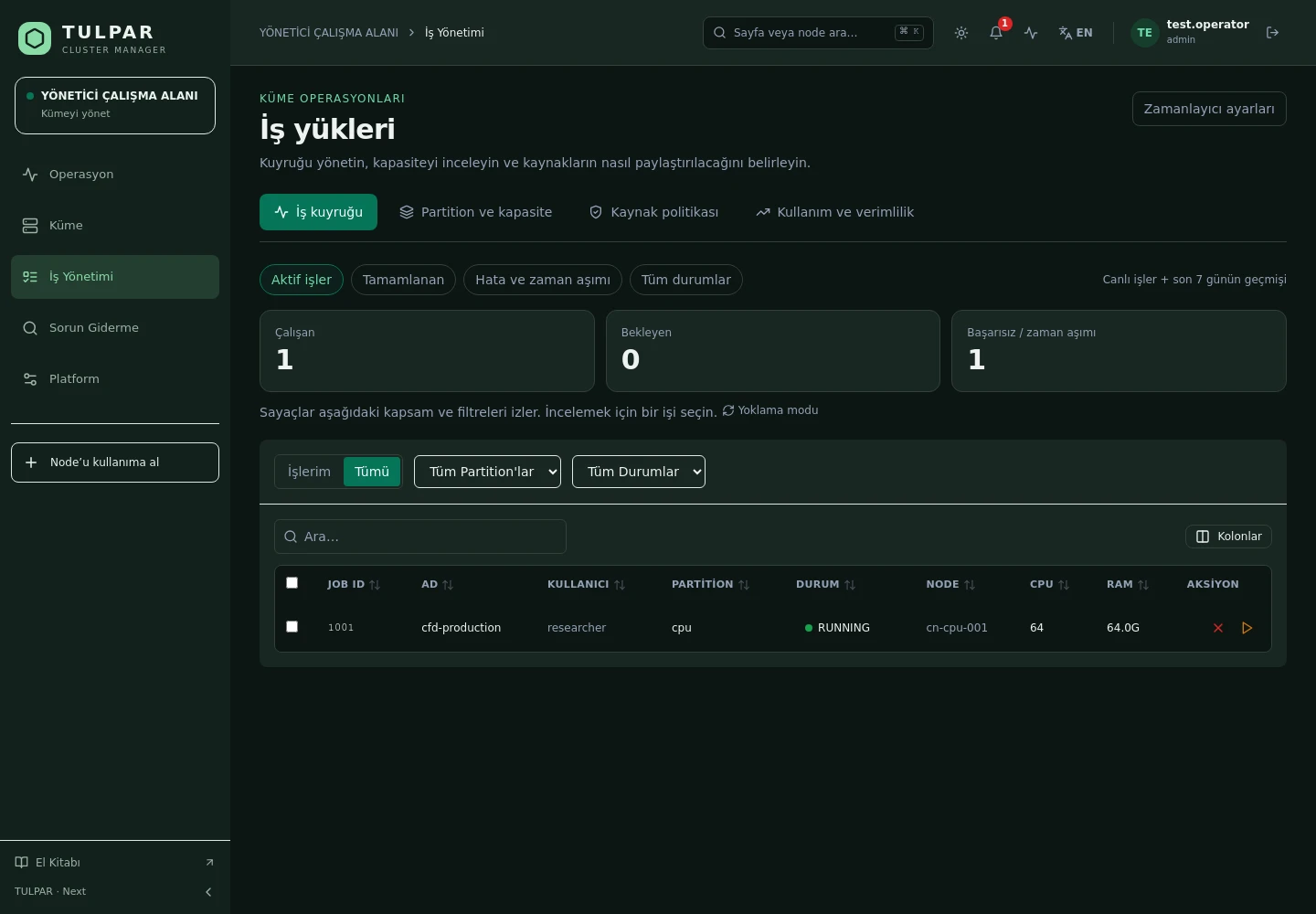
A live queue view — filter, sort, drill into job details; tell running and pending jobs apart at a glance.
 CLUSTER MANAGER
Slurm Job Management
All the power of Slurm — without the sbatch, scontrol and sacct sprawl. Submit jobs, watch the queue and report on accounting; all from your browser.
A job submission form, queue filters and one-click cancel/hold/release — without opening a terminal.
Every job is submitted under the signed-in user's identity; fairshare and accounting stay accurate.
What's Inside
TULPAR brings Slurm's entire administrator and user surface into one panel.
A live queue view — filter, sort, drill into job details; tell running and pending jobs apart at a glance.
Submit jobs from a web form or share parameterized templates with the team — a self-service HPC experience.
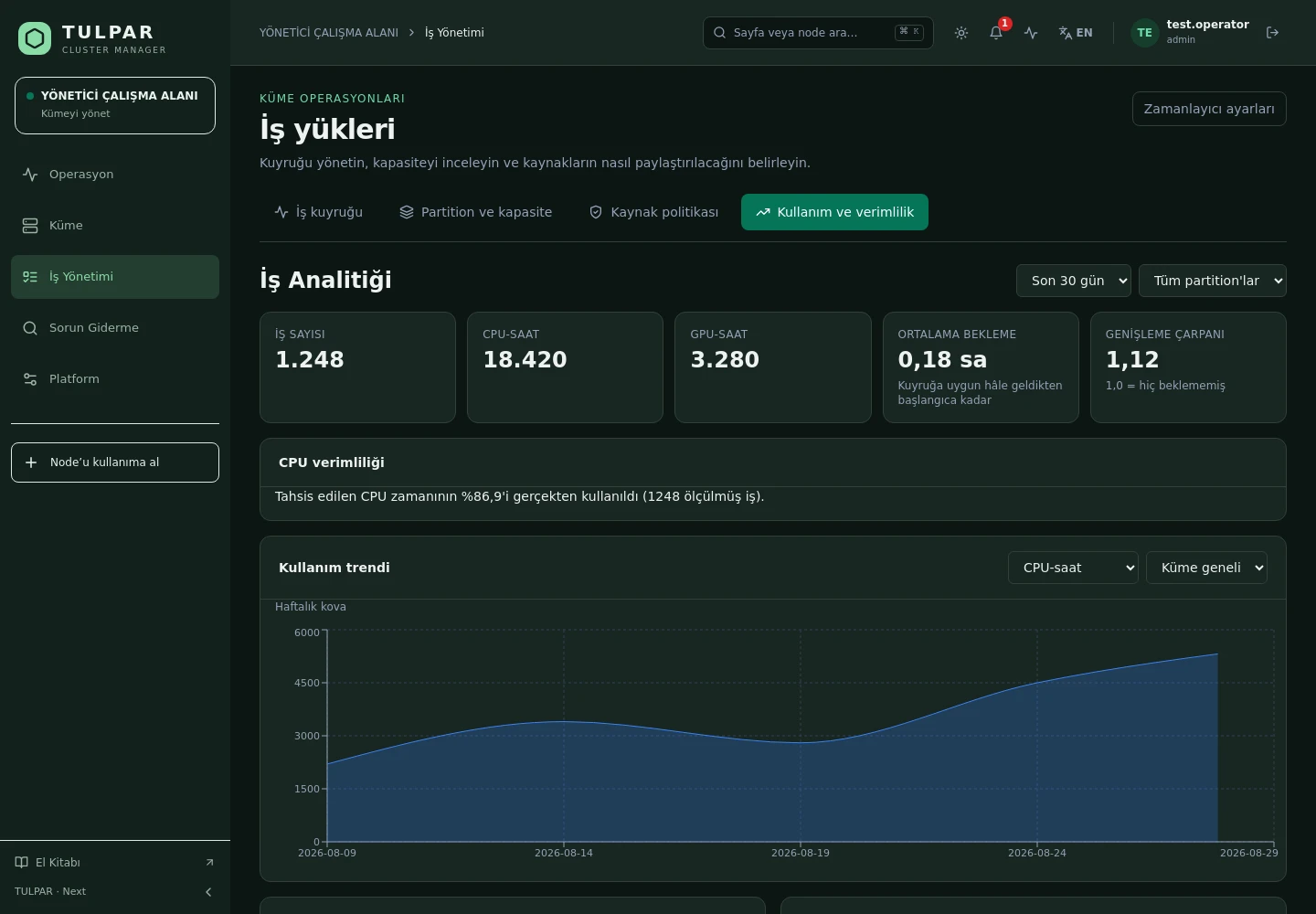
sacct data in the panel: per-user/per-account consumption, job history and analytics charts.
Partition states, QOS definitions, reservations and association management — in one place.
With RBAC, team leads see and manage only their own team's jobs; a fail-closed model.
slurmctld, slurmdbd, slurmrestd and munge status; a slurm.conf editor and scontrol reconfigure.
TULPAR / Slurm Job Management
Go beyond the queue: analyze job history, resource consumption and scheduling behavior in the panel.
GOOD TO KNOW
Got questions? Everything you need to know about installation, licensing and scaling is here.
tulpar-preflight.sh prepares the prerequisites, install.sh brings up the whole stack; you then enter the admin password, NTP, LDAP and SLURM settings in the web wizard. A typical installation completes in minutes.docker load. Every component works on a closed network, including node installation, monitoring and central logging.READY FOR YOUR NEXT COMPUTATION
Let’s explore what TULPAR can do for your cluster.
Request a demo