TULPAR

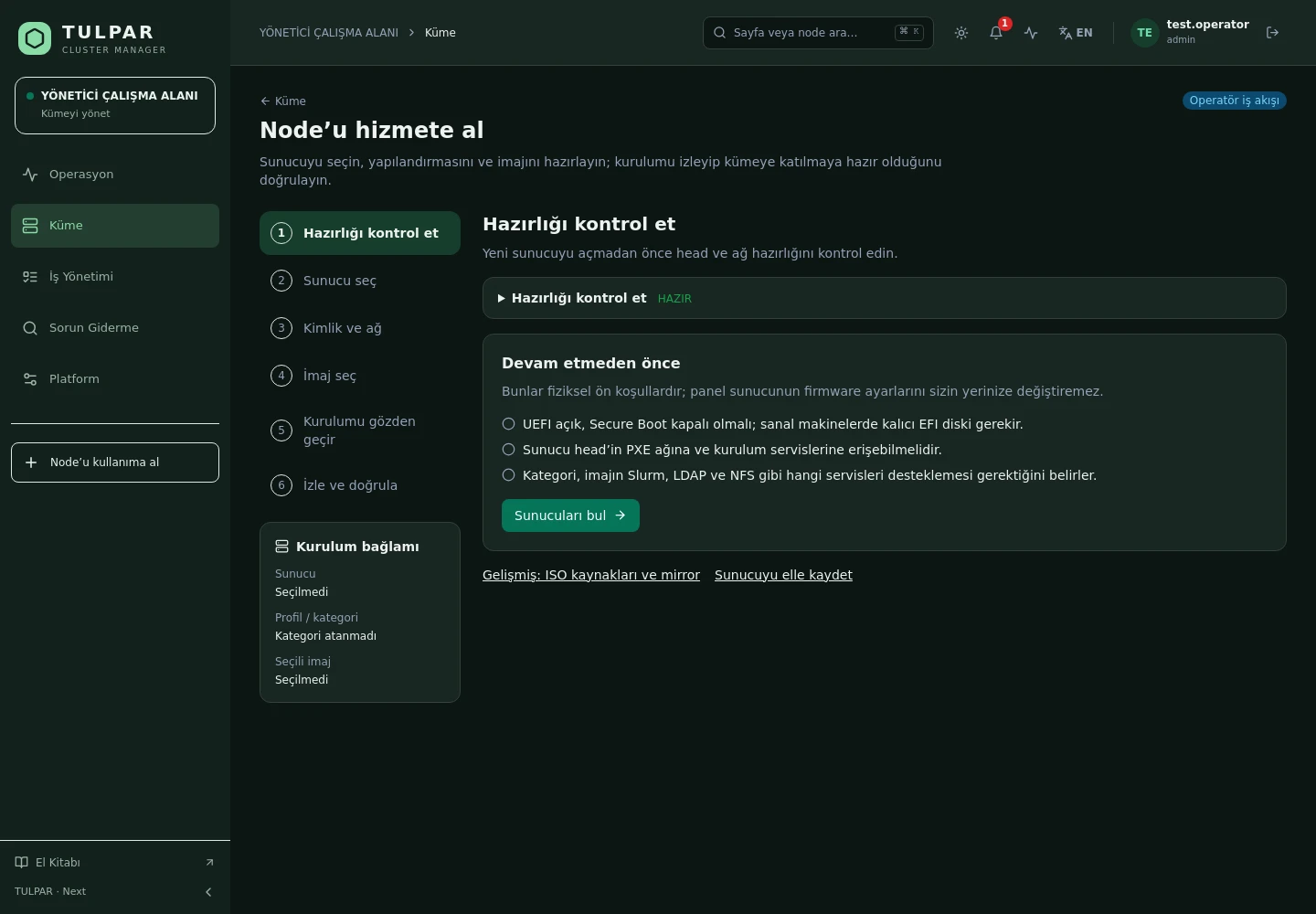
PXE Provisioning

From Bare Metal to Ready Node

Node discovery, image management and disk-install provisioning on Warewulf 4 — bring a new compute node into production in minutes, even on sites without internet.

Automatic discovery and approval

Nodes booting over PXE land in a discovery queue; approve with one click and installation begins.

Air-gap support

Fully offline installation with local RPM repositories and GPG-signed offline bundles.

TULPAR / PXE Provisioning
PXE Provisioning
Current TULPAR interface in Turkish · Sample test data

What's Inside

Every Provisioning Step in the Panel

From discovery to images, from kickstart to configuration convergence — the whole node lifecycle.

01

Node Discovery

MAC-based discovery with an approval queue; registration with automatic IP allocation from IPAM.

02

Disk-Install Kickstart

Installation to disk via anaconda/kickstart; NTP/LDAP/DNS provisioned automatically for Slurm categories.

03

Image Factory

Build and version OS images from the panel; changes stay traceable.

04

Image Deployment

Cluster-wide disk-image deployment and image sync — from a single point.

05

Package Repositories

Generate the Slurm repository from the panel or import it as a GPG-signed offline bundle.

06

Config Convergence

Node configurations converge declaratively via the agent; drift self-heals on every heartbeat.

TULPAR / PXE Provisioning

Consistent After Installation, Too

Provisioning isn't a one-off task — TULPAR keeps nodes consistent throughout their lifecycle.
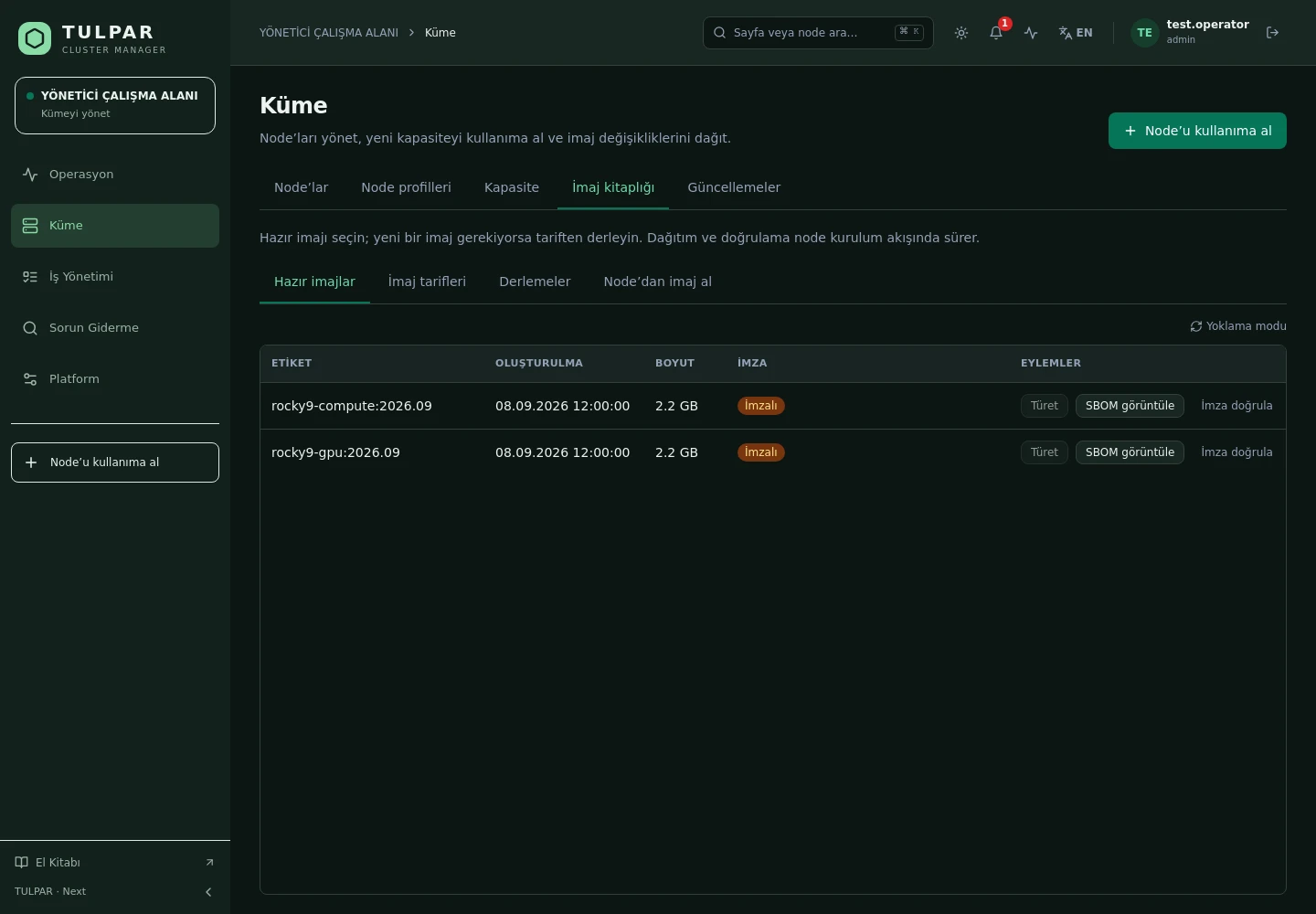
Warewulf 4 infrastructure
The DHCP/TFTP/HTTP provisioning chain runs on Warewulf 4; from PXE boot to OS sources, it's managed from the panel.
Automatic service provisioning
Installed nodes receive NTP, LDAP and DNS settings dynamically from the head — no manual config file distribution.
Signed convergence
Configurations are distributed with Ed25519 content-bound signatures; the agent applies only verified configs.
State machine
The registered → imaging → provisioning → ready flow, with drain, maintenance and recovery states for a complete lifecycle.
PXE Provisioning
Consistent After Installation, Too
Current TULPAR interface in Turkish · Sample test data

GOOD TO KNOW

Frequently Asked Questions

Got questions? Everything you need to know about installation, licensing and scaling is here.

How is TULPAR licensed?
TULPAR is an enterprise product offered under a commercial license. Licensing is annual, based on your cluster scale and the support coverage you need; every license includes the full feature set — there is no feature gating. Contact us through the contact page for a quote.
How long does installation take and what do I need?
An EL9-based head server is enough. tulpar-preflight.sh prepares the prerequisites, install.sh brings up the whole stack; you then enter the admin password, NTP, LDAP and SLURM settings in the web wizard. A typical installation completes in minutes.
Does it work with my existing Slurm cluster?
TULPAR talks to Slurm over the slurmrestd REST API and falls back to the CLI automatically, providing a stable, version-independent interface. Head Slurm components run natively on the host (dnf/systemd) and share the same repository and version as the compute nodes.
Can it be installed in an air-gapped environment without internet access?
Yes. RPM repositories travel with the product, the Slurm package repository can be imported as a GPG-signed offline bundle, and container images are loaded with docker load. Every component works on a closed network, including node installation, monitoring and central logging.

READY FOR YOUR NEXT COMPUTATION

Unleash your
infrastructure’s potential.

Let’s explore what TULPAR can do for your cluster.

Request a demo