TULPAR

Infrastructure Service Management

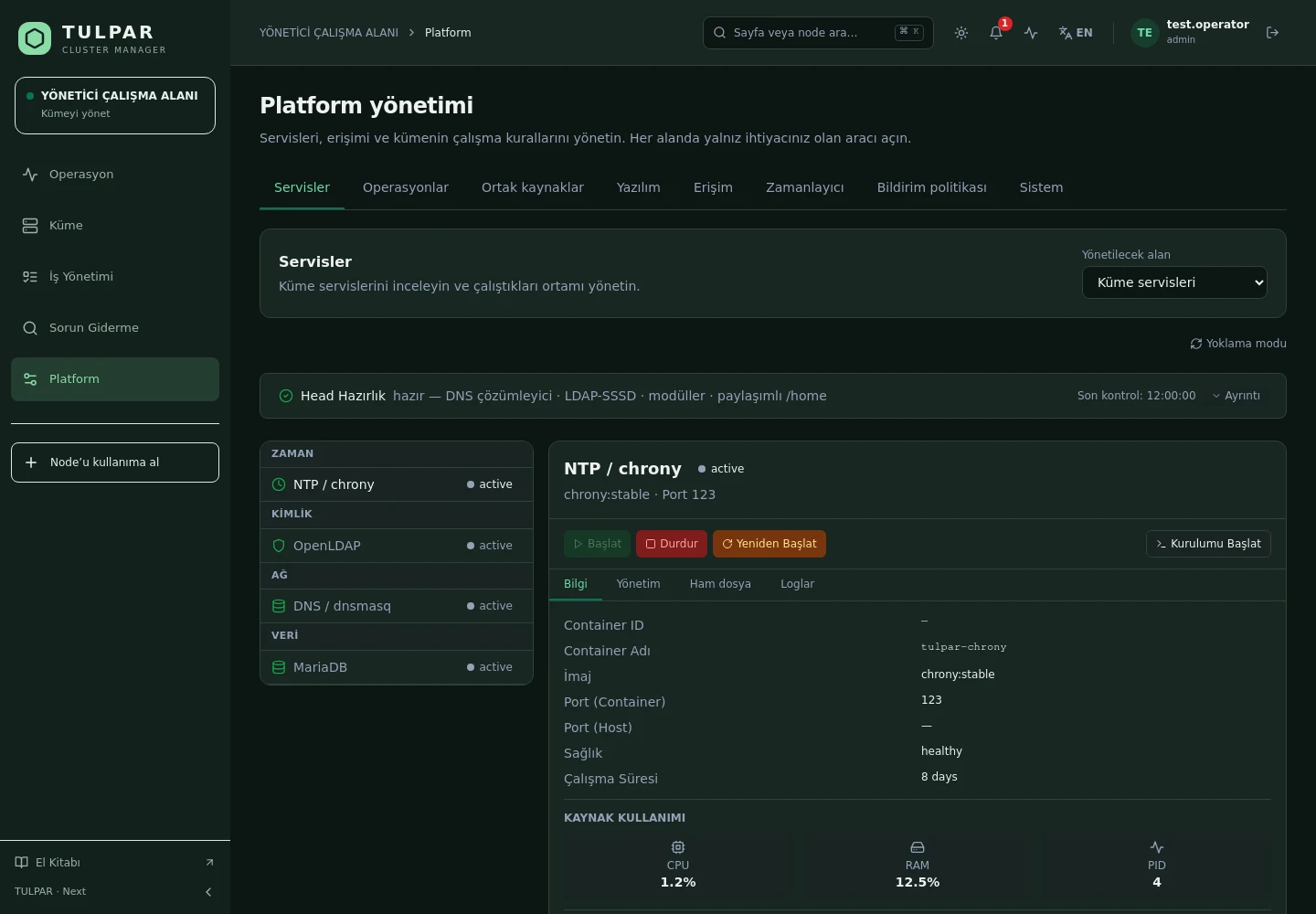
NTP, LDAP, DNS and MySQL in One Panel

Install, configure and monitor your cluster's core infrastructure services without hand-editing config files — every step from deploy to health check happens in the panel.

One-click deploy

Deploy a service from the panel and watch its progress with a live log stream.

Config editors

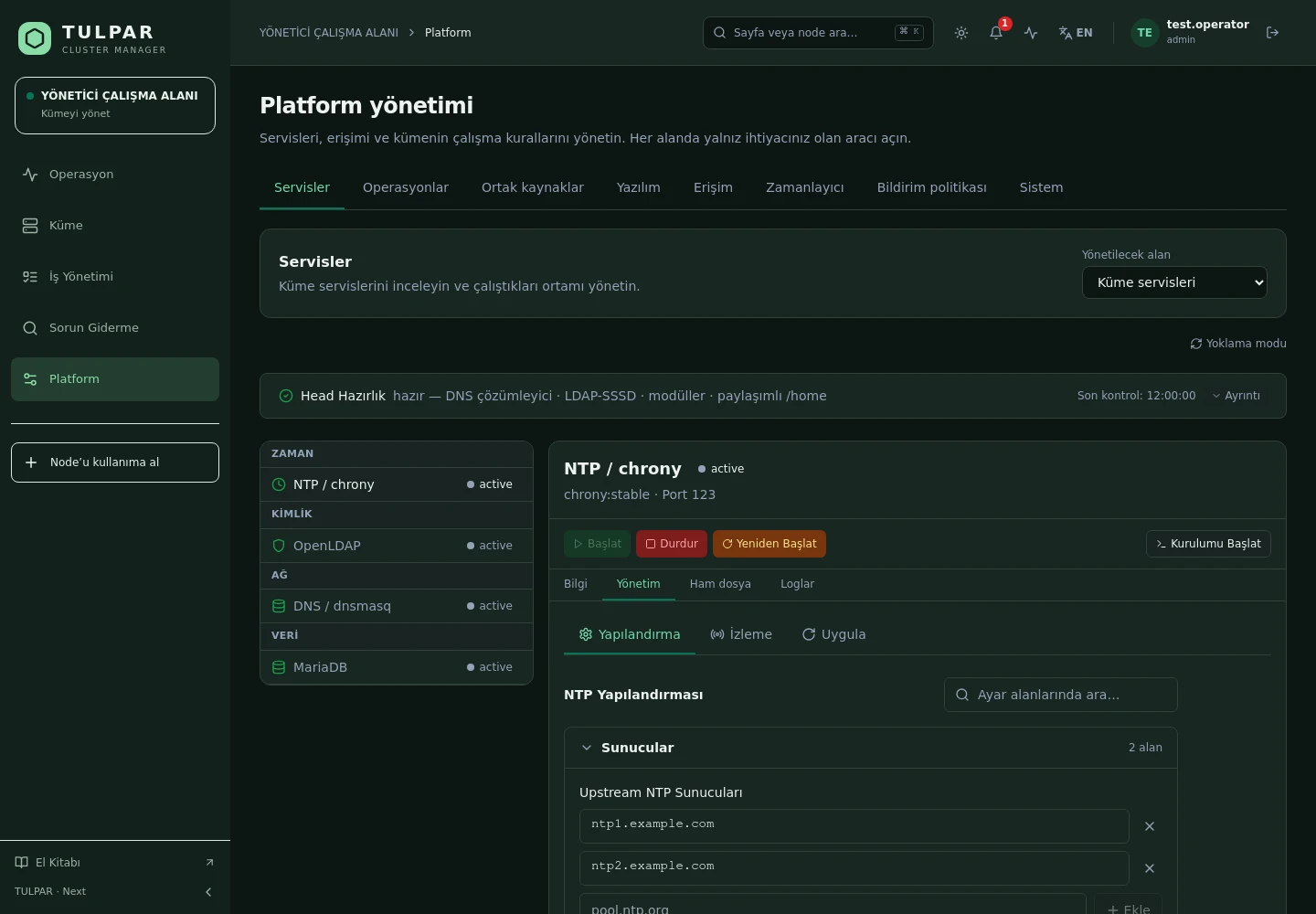
chrony, dnsmasq, LDAP and MySQL settings from the panel — without touching the filesystem.

TULPAR / Infrastructure Service Management
Infrastructure Service Management
Current TULPAR interface in Turkish · Sample test data

What's Inside

Four Critical Services, One Management Model

Every service offers the same experience: status, configuration, monitoring and deploy — you learn it once.

01

NTP (chrony)

Upstream servers, stratum and makestep settings; peer states and synchronization monitoring.

02

LDAP (OpenLDAP)

User and group CRUD, OU auto-creation, adding users with group selection, and settings management.

03

MySQL (MariaDB)

Create/delete databases and users, grant privileges and view server statistics.

04

DNS (dnsmasq)

Zone and host (A) records, upstream DNS and cache settings — integrated with provisioning.

05

Health & Metrics

Service status, CPU/RAM consumption and connection tests — catch problems before deploying.

06

Log Access

Container logs from the panel; deployment logs stream live over WebSocket.

TULPAR / Infrastructure Service Management

A Safe Path from Config to Live

Managing infrastructure isn't just installing it — TULPAR carries changes to production safely.
Configure from the panel
Service settings are managed through forms and a config editor; generated config files derive from a single source — no manual editing.
Automatic provisioning to nodes
NTP, LDAP and DNS settings are provisioned dynamically from the head to installed nodes — cluster-wide consistency maintains itself.
Connection tests
Run a connection test against the service before applying a change; verified transitions instead of blind deploys.
Background deploys
Deployments run as background tasks; progress and logs stream to the panel live over WebSocket.
Infrastructure Service Management
A Safe Path from Config to Live
Current TULPAR interface in Turkish · Sample test data

GOOD TO KNOW

Frequently Asked Questions

Got questions? Everything you need to know about installation, licensing and scaling is here.

How is TULPAR licensed?
TULPAR is an enterprise product offered under a commercial license. Licensing is annual, based on your cluster scale and the support coverage you need; every license includes the full feature set — there is no feature gating. Contact us through the contact page for a quote.
How long does installation take and what do I need?
An EL9-based head server is enough. tulpar-preflight.sh prepares the prerequisites, install.sh brings up the whole stack; you then enter the admin password, NTP, LDAP and SLURM settings in the web wizard. A typical installation completes in minutes.
Does it work with my existing Slurm cluster?
TULPAR talks to Slurm over the slurmrestd REST API and falls back to the CLI automatically, providing a stable, version-independent interface. Head Slurm components run natively on the host (dnf/systemd) and share the same repository and version as the compute nodes.
Can it be installed in an air-gapped environment without internet access?
Yes. RPM repositories travel with the product, the Slurm package repository can be imported as a GPG-signed offline bundle, and container images are loaded with docker load. Every component works on a closed network, including node installation, monitoring and central logging.

READY FOR YOUR NEXT COMPUTATION

Unleash your
infrastructure’s potential.

Let’s explore what TULPAR can do for your cluster.

Request a demo