TULPAR

Identity & Access Management

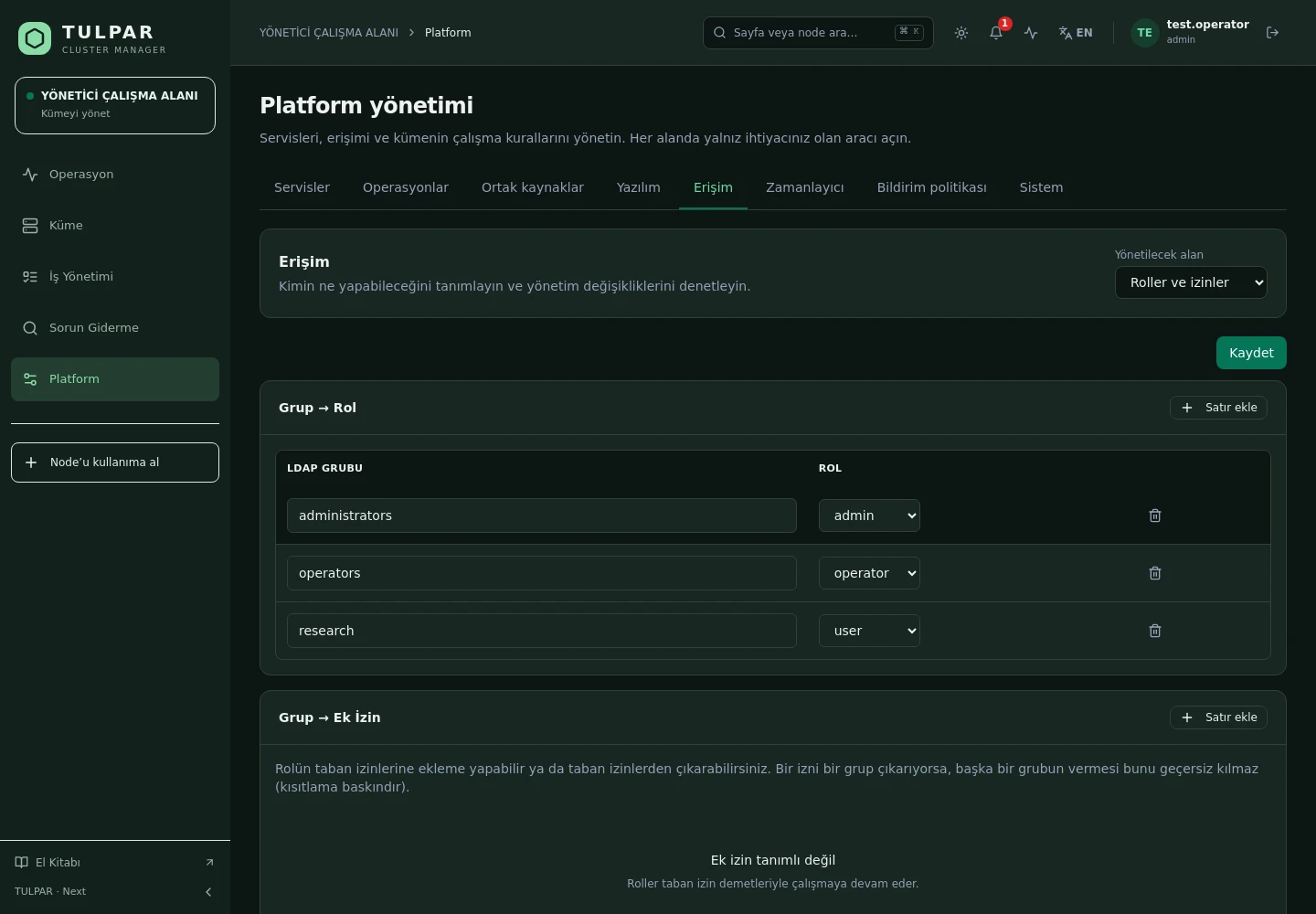
The Right Person, the Right Rights, on the Record

Local accounts and the cluster directory meet in a single identity model; every endpoint is guarded by role and permission — closed by default, exceptions explicit.

Hybrid authentication

A local bcrypt account or an LDAP bind — users sign in from one place, the directory stays the source of truth.

Two-factor authentication

TOTP-based MFA can be enabled per user and made mandatory for admin accounts.

TULPAR / Identity & Access Management
Identity & Access Management
Current TULPAR interface in Turkish · Sample test data

What's Inside

From Roles to Permissions, Directory to Session

Authorization isn't a layer bolted onto the edge of the panel — it's the gate every request passes through.

01

Role Hierarchy

admin ⊇ operator ⊇ viewer. Every endpoint enforces a minimum role; unauthorized requests are rejected and recorded.

02

LDAP Group Mapping

Directory groups map to panel roles; when the team changes, permissions follow on their own.

03

Permission-Level Grants

Layer resource/action grants and revokes on top of the role baseline — on conflict, revoke wins.

04

Scoped Visibility

A unit manager sees only their own team's jobs and data; scoping is enforced fail-closed.

05

Safe Sessions

A short-lived access token in memory, a refresh token in an HttpOnly cookie — rotated and single-use.

06

Break-Glass Admin

The local admin account cannot be shadowed by the directory; if LDAP goes down, your access to the cluster does not.

TULPAR / Identity & Access Management

The Chain from Identity to Slurm Job

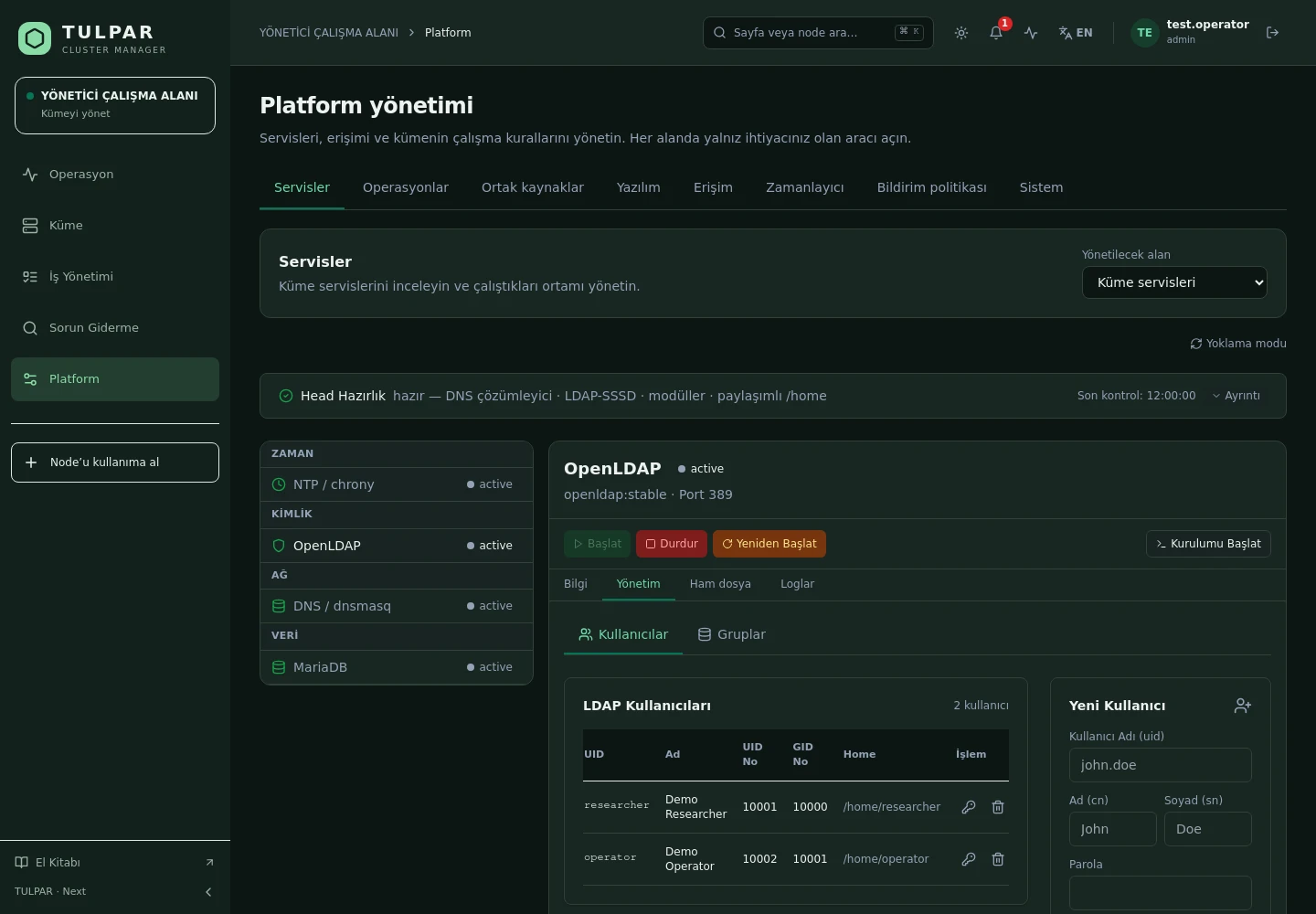
Who you are in the panel determines what you can do on the cluster — the attribution chain never breaks.
Per-user Slurm attribution
A job submitted from the panel reaches slurmrestd under the signed-in user's identity, not a fixed service account; fairshare and accounting land on the right user.
Verifiable token model
JWTs are signed asymmetrically and verified through JWKS; downgrade attempts to weaker signatures are rejected and revoked tokens are kept on a denylist.
Directory management in the panel
LDAP users and groups are created, edited and deleted from the panel; the OUs they need are created automatically.
Denied requests are records too
Unauthorized attempts don't fail silently — they are written to the audit trail and can be reported on later.
Identity & Access Management
The Chain from Identity to Slurm Job
Current TULPAR interface in Turkish · Sample test data

GOOD TO KNOW

Frequently Asked Questions

Got questions? Everything you need to know about installation, licensing and scaling is here.

How is TULPAR licensed?
TULPAR is an enterprise product offered under a commercial license. Licensing is annual, based on your cluster scale and the support coverage you need; every license includes the full feature set — there is no feature gating. Contact us through the contact page for a quote.
How long does installation take and what do I need?
An EL9-based head server is enough. tulpar-preflight.sh prepares the prerequisites, install.sh brings up the whole stack; you then enter the admin password, NTP, LDAP and SLURM settings in the web wizard. A typical installation completes in minutes.
Does it work with my existing Slurm cluster?
TULPAR talks to Slurm over the slurmrestd REST API and falls back to the CLI automatically, providing a stable, version-independent interface. Head Slurm components run natively on the host (dnf/systemd) and share the same repository and version as the compute nodes.
Can it be installed in an air-gapped environment without internet access?
Yes. RPM repositories travel with the product, the Slurm package repository can be imported as a GPG-signed offline bundle, and container images are loaded with docker load. Every component works on a closed network, including node installation, monitoring and central logging.

READY FOR YOUR NEXT COMPUTATION

Unleash your
infrastructure’s potential.

Let’s explore what TULPAR can do for your cluster.

Request a demo