Power Control (BMC)
Node power states in one list; on, off, cycle and reset actions execute from the panel.
 CLUSTER MANAGER
Hardware & Network Management
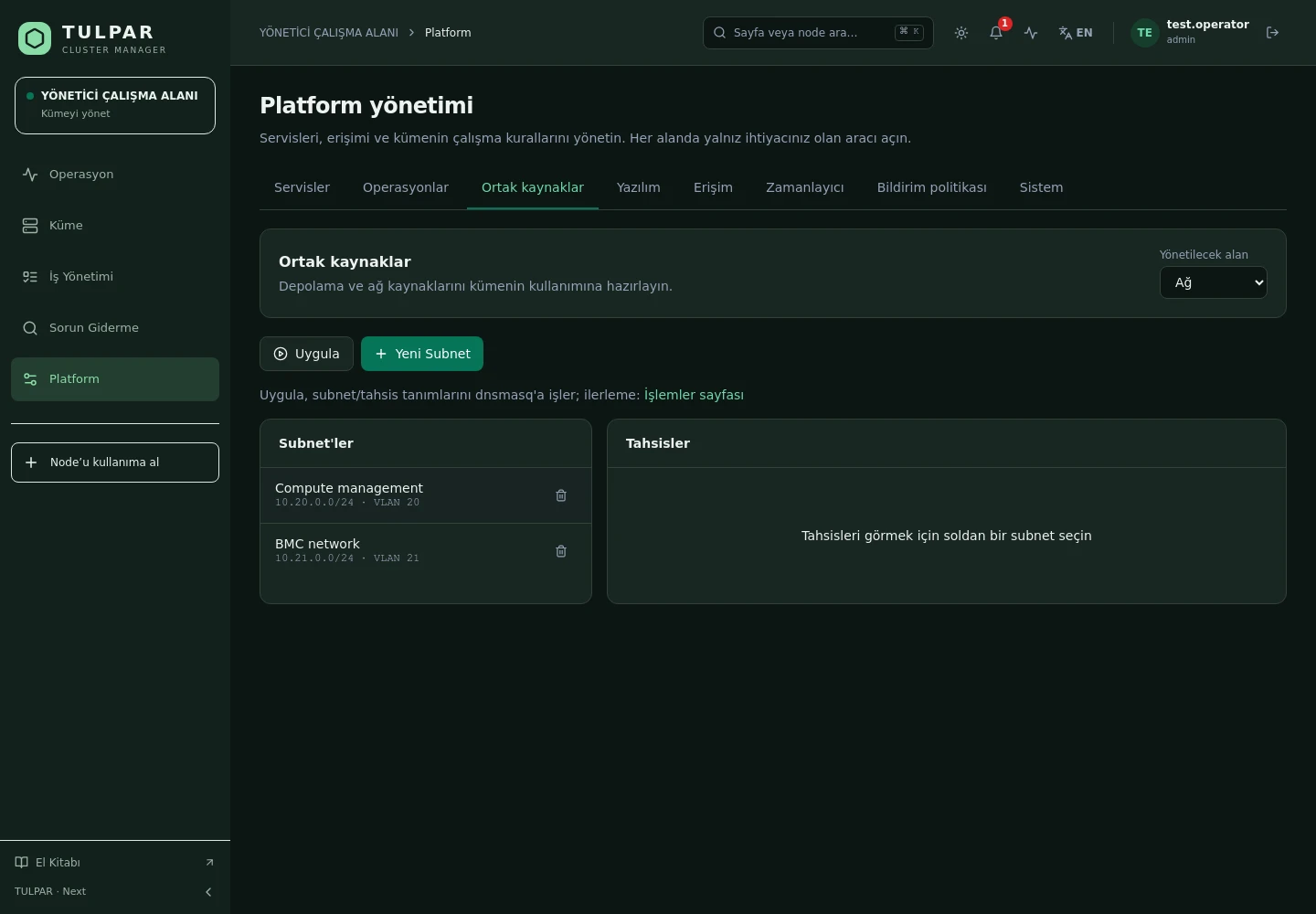
Power control and console access over BMC, subnet definition and automatic IP allocation, GPU inventory and InfiniBand status — the hardware layer lives in the panel too.
On, off, power cycle, reset and soft shutdown — over BMC, with role checks and an audit record.
Serial-over-LAN consoles open from the panel; which nodes have a console available is visible up front.
What's Inside
From power to network, GPU to file system — the daily hardware chores run from a browser.
Node power states in one list; on, off, cycle and reset actions execute from the panel.
Serial-over-LAN consoles open from the panel; where a vendor console path isn't verified, the panel won't point you the wrong way.
Define subnets, allocate IPs automatically and release them; provisioning feeds from the same source, so collisions don't happen.
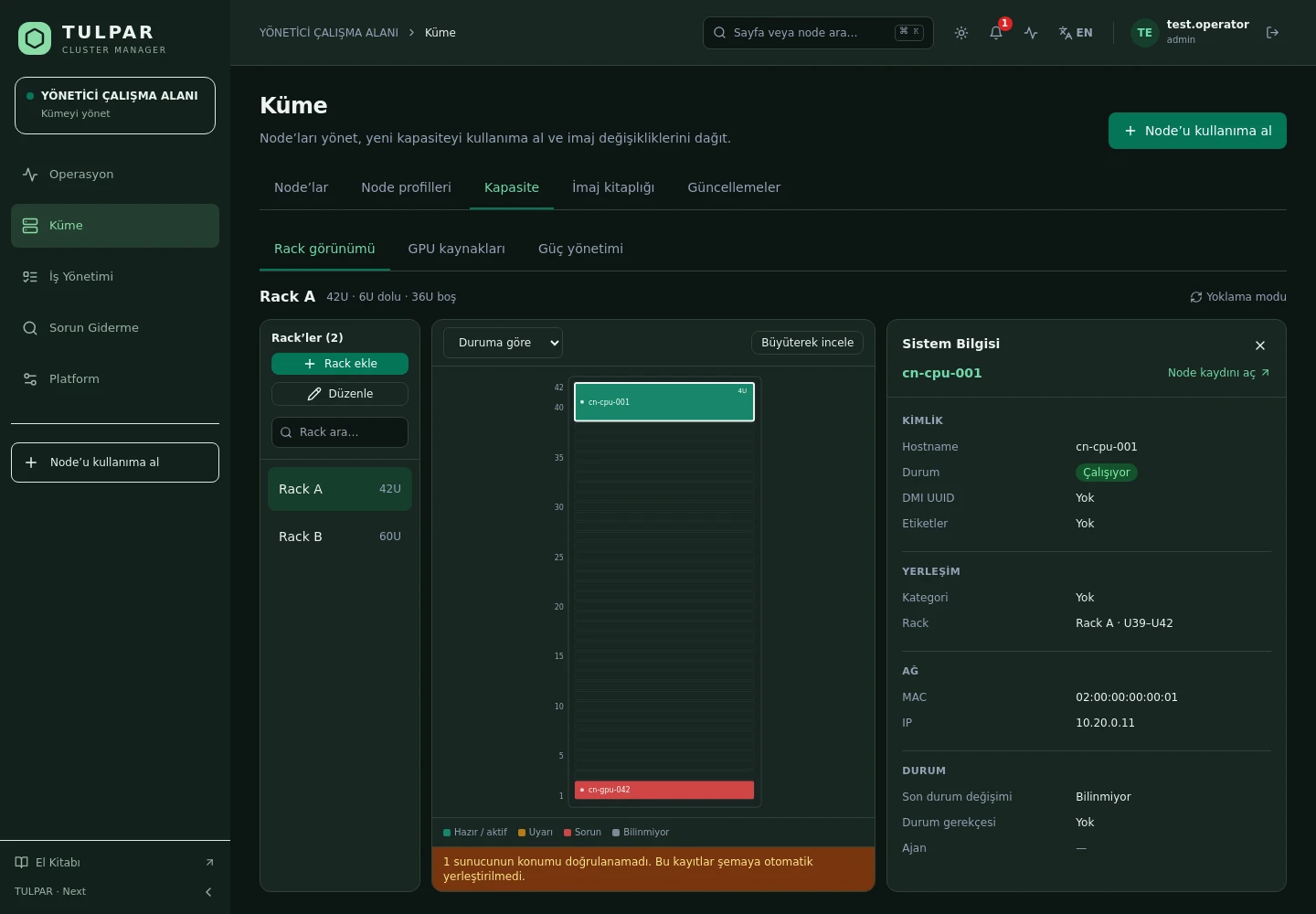
Per-node GPU discovery and DCGM metrics: utilization, memory, temperature, power and ECC counters.
HCA and port status with GUID/rate discovery — fabric data is discovered, not typed in by hand.
NFS, Lustre, GPFS and BeeGFS mount profiles are defined per node category; a node's effective mount set is resolved in the panel.
TULPAR / Hardware & Network Management
To manage hardware you first have to know it correctly — TULPAR fills the inventory by discovery instead of condemning you to manual entry.
GOOD TO KNOW
Got questions? Everything you need to know about installation, licensing and scaling is here.
tulpar-preflight.sh prepares the prerequisites, install.sh brings up the whole stack; you then enter the admin password, NTP, LDAP and SLURM settings in the web wizard. A typical installation completes in minutes.docker load. Every component works on a closed network, including node installation, monitoring and central logging.READY FOR YOUR NEXT COMPUTATION
Let’s explore what TULPAR can do for your cluster.
Request a demo