TULPAR

Automation Engine

Write a Rule, Let the Cluster Right Itself

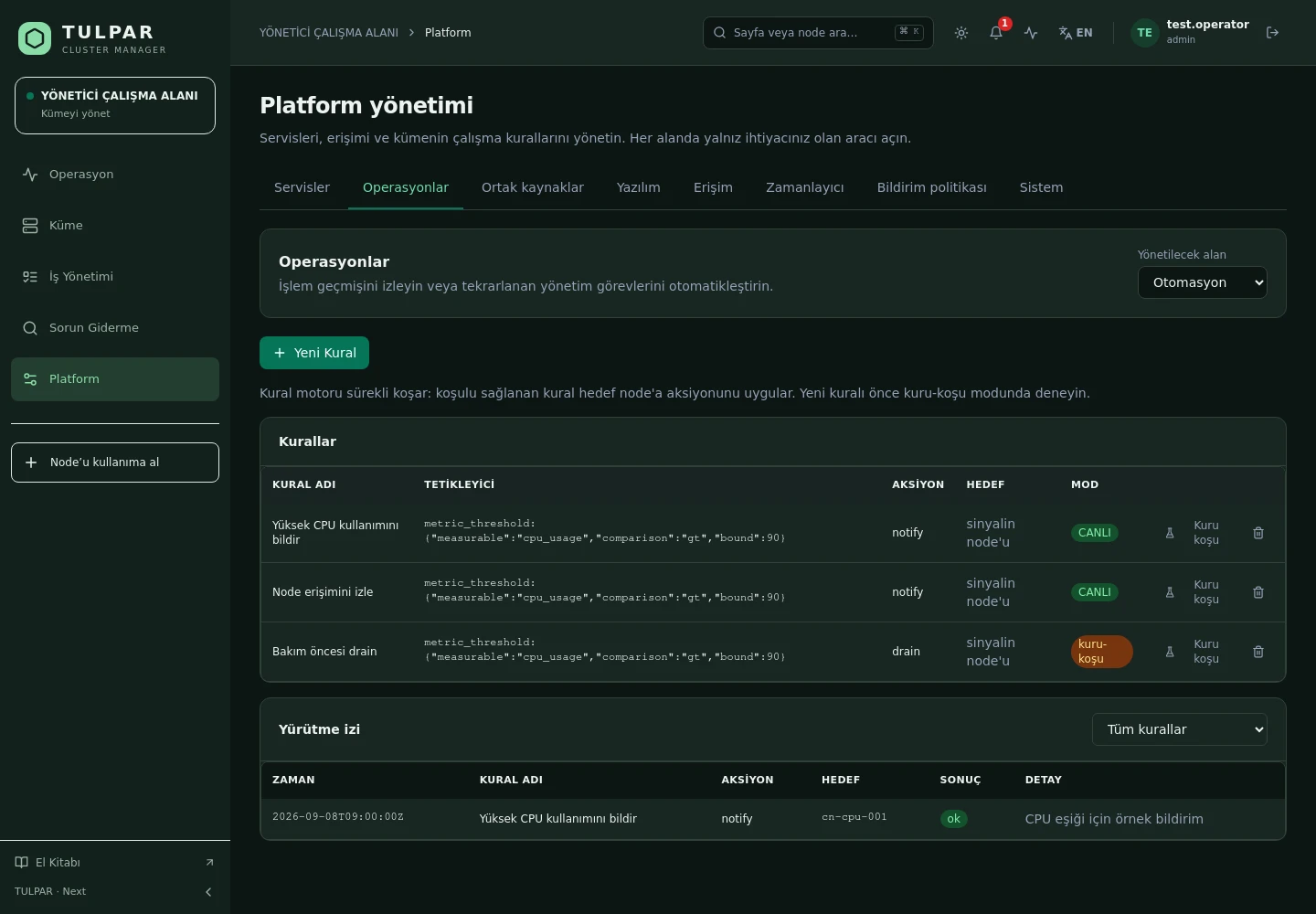
When a metric threshold or health event fires, drain the node, reboot it, cut its power or send word — through a traceable execution pipeline that passes every safety gate.

Dry run

Execute a rule with no side effects and see exactly what it would do before it does it.

Every run leaves a trace

The triggering signal, the chosen action and its result are written to a detailed execution record.

TULPAR / Automation Engine
Automation Engine
Current TULPAR interface in Turkish · Sample test data

What's Inside

From Trigger to Action, Under Control

The automation engine isn't a pile of scripts — it's an executor that runs every rule through the same fail-safe pipeline.

01

Three Trigger Types

Measurable thresholds, health state and events — you choose which signal a rule watches.

02

Ready-Made Actions

Drain, reboot, power off, power cycle, image update, notify and script — the daily reflexes of HPC operations.

03

Fail-Safe Pipeline

Disabled check → approval → rate limit → dry run → real execution; every rule passes these gates in order.

04

Execution Records

Each run produces an execution record: when, on which signal, with what result — all of it queryable.

05

Category Targeting

Rules apply to node categories rather than single nodes; as the cluster grows, the rule count doesn't.

06

Config Drift Repair

Node configurations converge declaratively; manual deviations are corrected on the next pass.

TULPAR / Automation Engine

Staying on the Safe Side of Automation

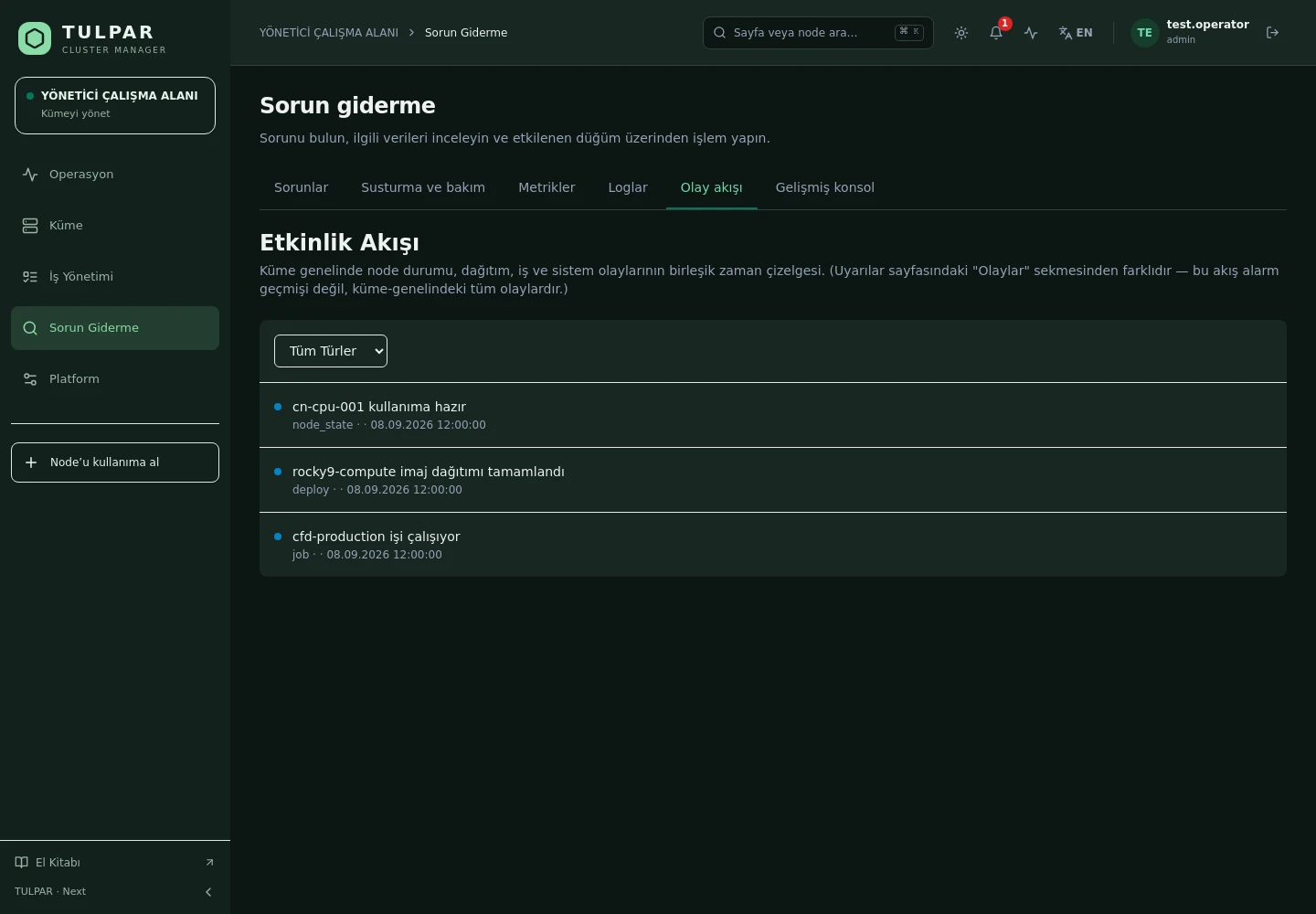
Automation is the most feared thing in a cluster — TULPAR makes it provable first and automatic second.
Dry run first
A new rule is trialled with a forced dry run before it goes live; the output has the same shape as a real execution, so comparison is easy.
Rate limiting
A rule cannot fire back-to-back during a signal storm; the rate limit cuts cascading damage off at the source.
Approval gate
Destructive actions can be defined to require approval — automation doesn't take the human out, it takes the load off.
Audit trail
Every execution step lands in the audit log; the answer to "who powered this node off" stays in the panel.
Automation Engine
Staying on the Safe Side of Automation
Current TULPAR interface in Turkish · Sample test data

GOOD TO KNOW

Frequently Asked Questions

Got questions? Everything you need to know about installation, licensing and scaling is here.

How is TULPAR licensed?
TULPAR is an enterprise product offered under a commercial license. Licensing is annual, based on your cluster scale and the support coverage you need; every license includes the full feature set — there is no feature gating. Contact us through the contact page for a quote.
How long does installation take and what do I need?
An EL9-based head server is enough. tulpar-preflight.sh prepares the prerequisites, install.sh brings up the whole stack; you then enter the admin password, NTP, LDAP and SLURM settings in the web wizard. A typical installation completes in minutes.
Does it work with my existing Slurm cluster?
TULPAR talks to Slurm over the slurmrestd REST API and falls back to the CLI automatically, providing a stable, version-independent interface. Head Slurm components run natively on the host (dnf/systemd) and share the same repository and version as the compute nodes.
Can it be installed in an air-gapped environment without internet access?
Yes. RPM repositories travel with the product, the Slurm package repository can be imported as a GPG-signed offline bundle, and container images are loaded with docker load. Every component works on a closed network, including node installation, monitoring and central logging.

READY FOR YOUR NEXT COMPUTATION

Unleash your
infrastructure’s potential.

Let’s explore what TULPAR can do for your cluster.

Request a demo